A demo is easy to set up and then forget. You add the embed code, the game loads, and you move on to the next review. Whether a given game even has a demo is left to chance.
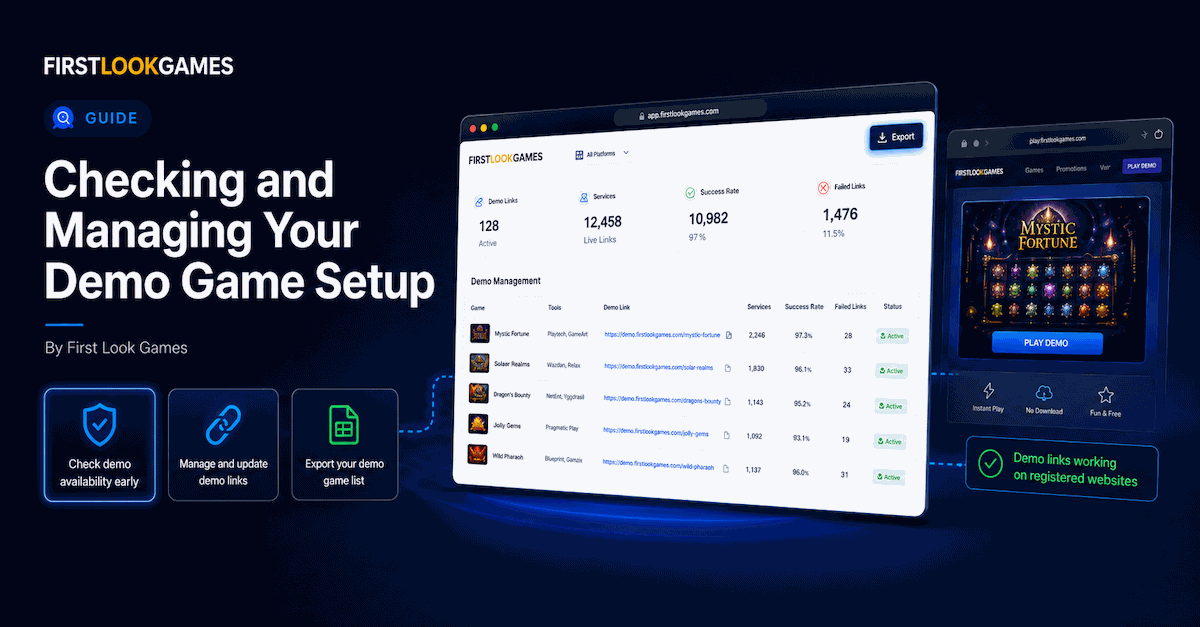
The Demo Game Server (DGS) dashboard is where you find out. It shows overall demo activity, successful and failed age checks, and which games have a demo available to embed.
Key takeaways
- Check demo availability while you plan, so a demo can be included from the start.
- Export the full demo list to check a batch of games in one go.
- Demo links work only on your registered sites, so embed them and check they load.
Why the current way falls short
If you only check for a demo once you have started writing a review, you can get halfway through the piece before discovering there is not one. The work of fitting a demo into the article then has to be redone, or the piece ships without one.
The other gap is less obvious. Demo links only work on the websites you have registered with FLG, and direct visits are blocked. A link that works when you test it on your own site can fail without you noticing if it is placed on a domain FLG does not know about.
What the DGS dashboard shows
The dashboard has a details panel with three numbers for your account. Sessions is the total number of demo page loads logged against your publisher account since you started using DGS. Successful AVs and Failed AVs count the age checks that passed and the ones that did not pass. Only UK visitors are asked to verify their age, so these two numbers reflect UK readers on sites where FLG runs the age check.
The Demo Links tab lists available demos by studio. Pick a studio from the dropdown and you get a table of the active games from that studio, each with its ready-made URL. The One-Click Demo Game List exports the same thing to a spreadsheet, for one studio or for all of them.
What you do with it
Check availability while you plan. When you are deciding what to cover, glance at the Demo Links tab to see whether the games on your shortlist have a demo. That way you know from the start whether a playable demo can be included.
Plan a batch at once. If you are lining up several reviews, export the demo list for all studios and check your shortlist against it in one go, rather than looking up each studio individually.
Embed on registered sites only. Demo links are tied to the websites you have added in FLG. If you want a demo to work on a new domain, add it to your web properties first. If the domain is already registered to another FLG account, your association starts as pending and demos will not work until you verify it. The instructions tab shows a simple iframe embed and a responsive container so the demo sizes to the page.
Confirm it loads. Once a demo is live, check it once on the page itself. If it does not load on the published page, first check that the domain is registered and that the embed code has not been altered.
What this does not do
The dashboard does not show play counts per game, and it does not tell you which demo is your best performer. Sessions and AV counts are account-wide totals. They show whether demo activity is happening across your account, not why, and not which game drove it. Sessions counts page loads rather than distinct visitors or completed plays.
Age verification counts are not a measure of your content. A failed age check means the reader did not pass verification, not that your page or content did anything wrong.
Availability depends on studios uploading demos. Not every game has one, and a missing demo is not a comment on the quality of the game.
Where to start
Log in to the DGS dashboard and open the Demo Links tab. Check which of the next games on your list have demos available. If a demo you want to use is hosted on a site you haven’t registered yet, add that site to your web properties before embedding it.
Log into the FLG Platform to open the DGS dashboard. Not registered yet? You can create an account from the same page.
FAQ
How do I know which of my demos perform best?
You cannot tell from the DGS dashboard. It shows account-wide totals, not per-game play counts, so it does not tell you how any individual demo is performing.
Why would a demo not load on my site?
First check that the site is registered with FLG. Demo links only work on your registered web properties. If the domain is registered and the embed is correct, check the demo is still available from the studio.