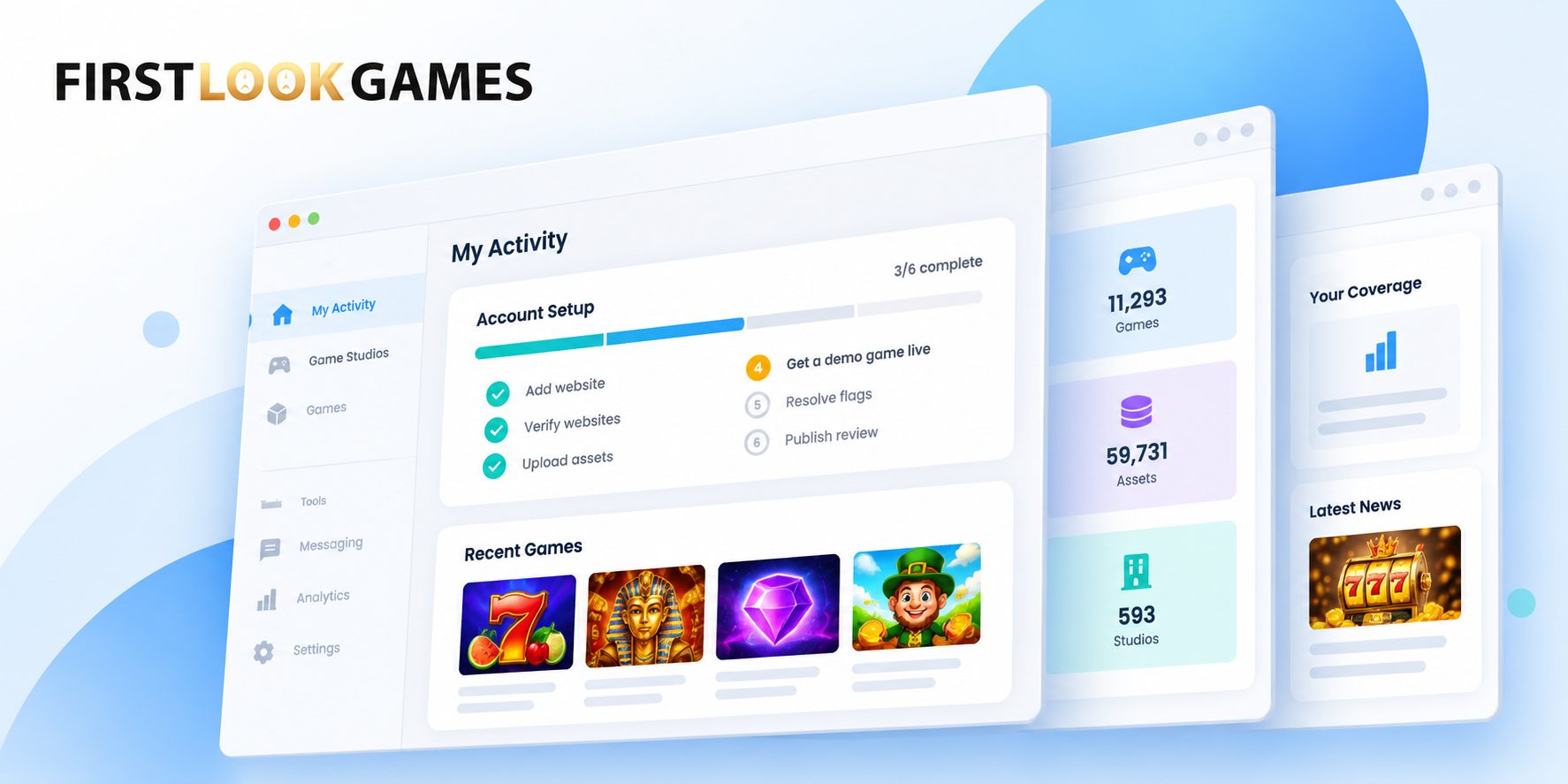
A First Look Games account is useful from the moment you sign up. You can browse games, explore the platform and start working with content straight away. But completing your setup gives studios more to work with when they are looking for publishers. They use your verified sites, your settings and your coverage history to understand where you publish, which markets you reach and how active you are.
Key takeaways
- A complete FLG account gives studios a clearer view of your sites, your coverage and how to contact you.
- Each step on your Account Status timeline changes what you can do on FLG or what studios can see about you.
- Most steps only take a few minutes. The slowest part is usually getting DNS or site access from a colleague, so it helps to start there.
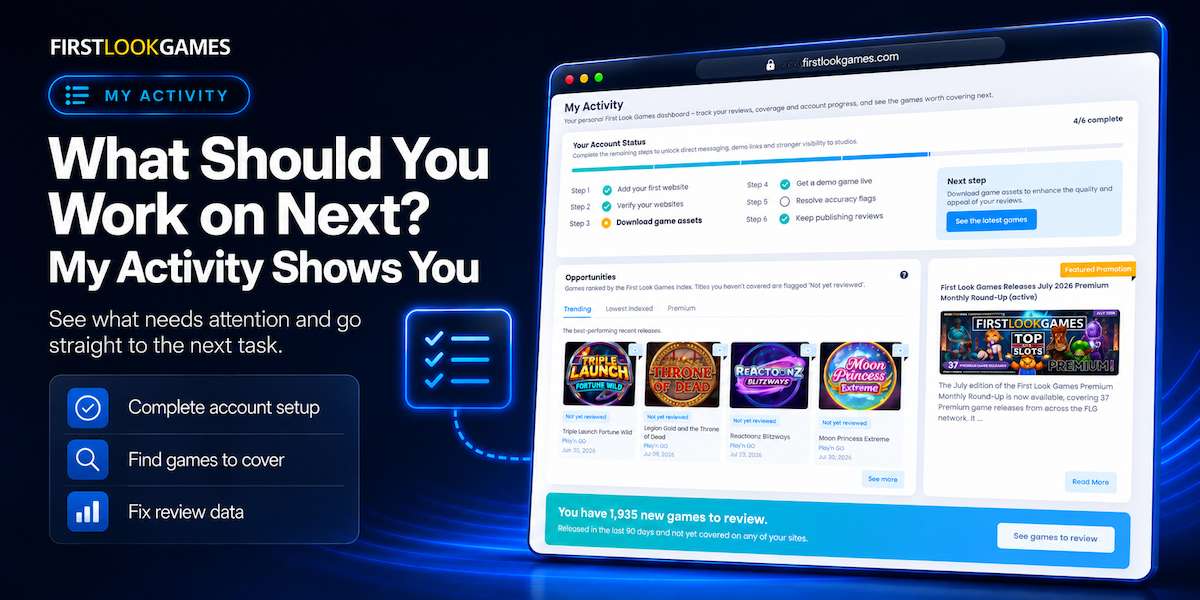
That’s why Your Account Status sits at the top of your My Activity page. It’s a six-step timeline that tracks the parts of your setup that make FLG more useful to you and more informative to studios.
What does a studio see when looking for publishers to work with?
Studios shortlist publishers in the Website Directory. Each site there shows its top markets, estimated traffic, Domain Authority, FLG Site Score and whether it’s verified. If a site isn’t on your account, FLG can’t connect it to you. If it’s on your account but not verified, FLG hasn’t confirmed it’s yours.
This matters especially for niche publishers. A site that is strong in one country, language or game category may be exactly what a studio is looking for. It only helps if it’s visible and connected to your account.
Being visible is only part of it. Studios also need to be able to contact you. For messaging to work, the relevant site and publisher account need to be verified, and the contact settings on your account need to allow studio messages.
Add every site you run, including smaller ones, and make sure the sites you want studios to contact you through are fully set up. Our support pages on Adding and verifying your websites walk through the verification methods. How studios find and contact you explains how publisher contact works.
What does each step actually change?
The six steps aren’t a checklist for the sake of it. Each one changes what you can do or what studios can see.
- Add your first website. FLG needs to know which sites are yours before it can connect your publishing activity to your account.
- Verify your websites. Verification confirms that the site belongs to you and opens up features linked to verified web properties.
- Download game assets. You get official artwork and game information from the studio, rather than copies from elsewhere that may be out of date. If a game has no assets yet, you can request them.
- Get a demo game live. Readers can play the game on your page before they click through to an operator. UK age checks are built in at no extra cost.
- Resolve accuracy flags. FLG checks game details such as RTP and paylines on your pages against the studio’s official data. Studios can see your accuracy record when assessing publishers.
- Keep publishing reviews. This is the one step that can go backwards. If FLG hasn’t picked up new coverage from you in a while, it reopens. That’s deliberate: it helps studios see which publishers are active now.
You can do the steps in any order. The timeline highlights the next one with a button that takes you there, but it’s a suggestion, not a queue.
Why you shouldn’t stop at site verification
A publisher who verifies their sites has completed an important part of the setup, but there is still more information FLG can build around the account.
As the later steps are completed, FLG can show more about how that publisher works: whether they use current studio assets, whether they keep game details accurate, whether they have demos live and whether FLG is continuing to find new coverage from them. Their Top 3 Markets suggestions on My Activity are also more useful because they’re based on where their own sites’ traffic comes from.
None of this guarantees a studio will get in touch. Studios contact publishers when they have a reason, such as a launch, a market push or a correction. A complete account simply gives them a clearer picture when they are deciding who to work with.
Your five-minute check
Open the My Activity page and take a quick look at your Account Status timeline.
Check that every site you actively publish on is connected to your account.
Make sure your contact details and messaging settings are current.
Look for any open steps on the timeline.
Pick one unfinished step and complete it.
FAQ
I can’t verify my site myself. What now?
Use the “email instructions” option when you verify. It sends the steps and your verification code to whoever manages your DNS or site files.
I finished a step, but it’s still not ticked.
Most figures on My Activity refresh overnight. Check again tomorrow.
Why has “Keep publishing reviews” reopened?
FLG hasn’t captured new coverage from you recently. Publish a review of an FLG title and the step will tick again once it’s picked up. Captures can lag publication a little.
Does a complete account mean studios will contact me?
No. It makes your account more informative and easier to assess. Studios decide when to reach out.
Do I need to verify a site to use demo games?
Demos work on sites that are registered to your publisher account. Verification also confirms the relationship between the site and your account, so it’s worth completing.